YOUR NEXT FAVORITE MAC UTILITY

Huz Get Colors app icon

Huz Get Colors

A little color.
A better workflow.

Pick colors from anywhere on your screen, organize them into palettes, and copy them in the format your workflow needs—all with a native macOS color tool.

Native macOS · No account needed · Your colors stay on your Mac

A home for every color.App screenshot placeholderColor library & palettes

Pick it. Keep it. Make something with it.

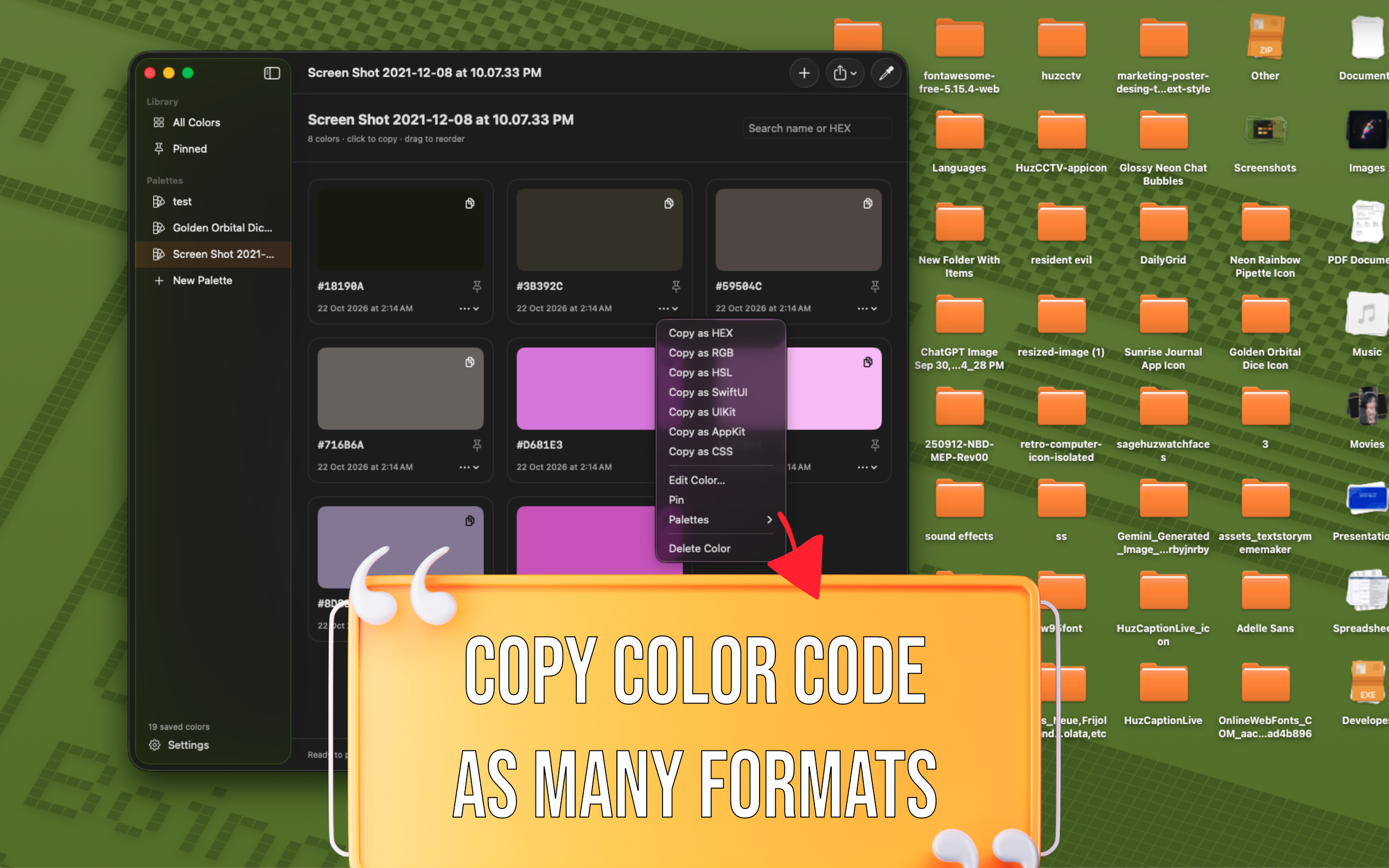
ONE COLOR. YOUR FORMAT.
  • HEX
  • RGB
  • HSL
  • SwiftUI
  • UIKit
  • AppKit
  • CSS variables

01 / PICK. ORGANIZE. CREATE.

From inspiration
to your next project.

A native color picker and palette manager for designers, developers, and anyone who works with color.

01

Pick and copy.

The right color can come from anywhere. Bring it into your workflow in a moment.

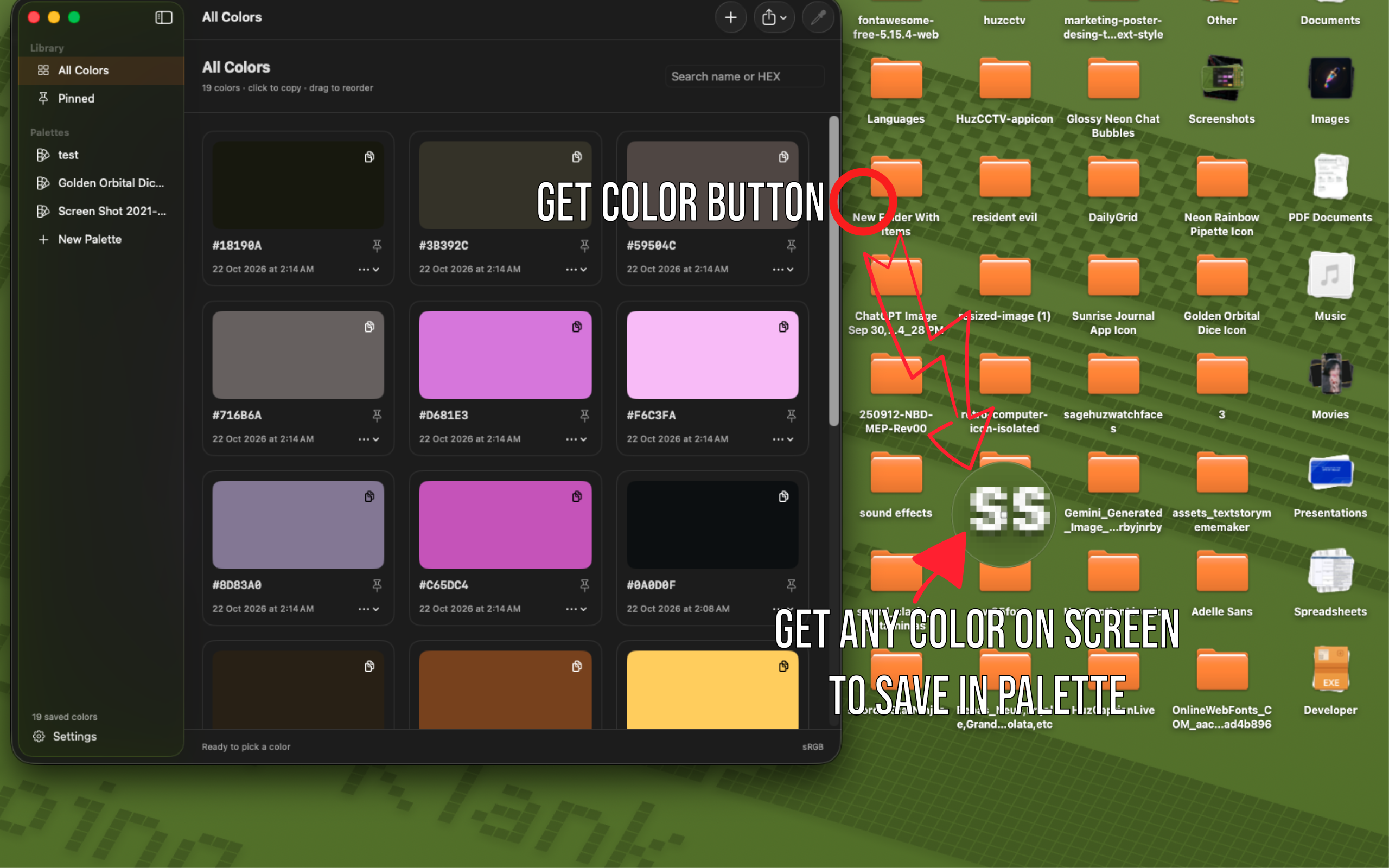
  • Sample anywhere on your screen with the eyedropper or menu bar.
  • Automatically copy sampled colors, or copy when you need them.
  • Copy as HEX, RGB, HSL, SwiftUI, UIKit, AppKit, or CSS variables.
  • Choose a preferred copy format and customize HEX case and prefix.
02

A library, not a lost color.

Keep your best finds close and your palettes ready for whatever comes next.

  • Create palettes and add a color to multiple palettes.
  • Pin favorites and search by name or HEX value.
  • Keep recent picks within reach with color history.
  • Rename, edit, reorder, and delete—with undo and redo for library changes.
03

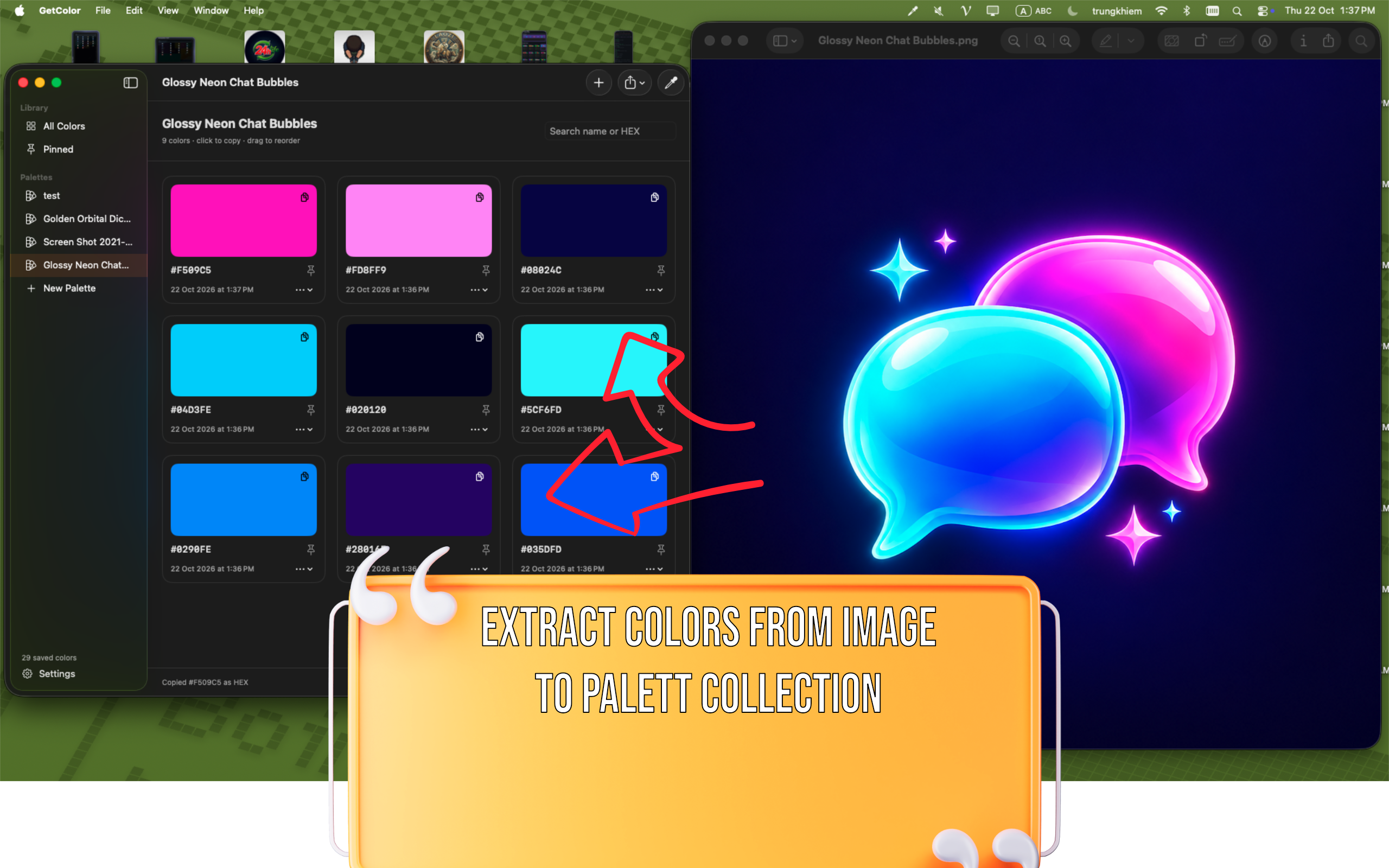
Turn images into palettes.

Start with an image. Take away a set of colors you can actually use.

  • Extract up to eight representative colors from an image.
  • Save extracted colors as a new palette.
  • Import and export color libraries as JSON.
  • Export colors as CSS variables or SwiftUI code.
04

Find the exact shade.

Go from nearly right to just right, without leaving your color tool.

  • Add or edit colors with HEX, RGB, and HSL values.
  • Adjust hue, saturation, and lightness with sliders.
  • Preview black and white text contrast ratios.

02 / A CLOSER LOOK

Built for your Mac.
Ready for your colors.

A home for every color. App screenshots show the core workflows of Huz Get Colors.

Screen color sampling with eyedropper and copy formats in Huz Get Colors macOS app
Your screen is your swatch book.Capture a color and copy it in the format you need.
Color library with palettes and favorites in Huz Get Colors macOS app
Good colors deserve a place to stay.Organize palettes, pin favorites, and search your library.
Extracting a color palette from an image in Huz Get Colors macOS app
Find the palette inside the picture.Extract up to eight representative colors from an image.
Fine-tuning colors with hue saturation lightness sliders in Huz Get Colors macOS app
Find the exact shade.Add or edit colors with HEX, RGB, and HSL values, adjust with sliders, and preview contrast ratios.

03 / LOCAL BY DESIGN

Your colors.
Your Mac. That’s it.

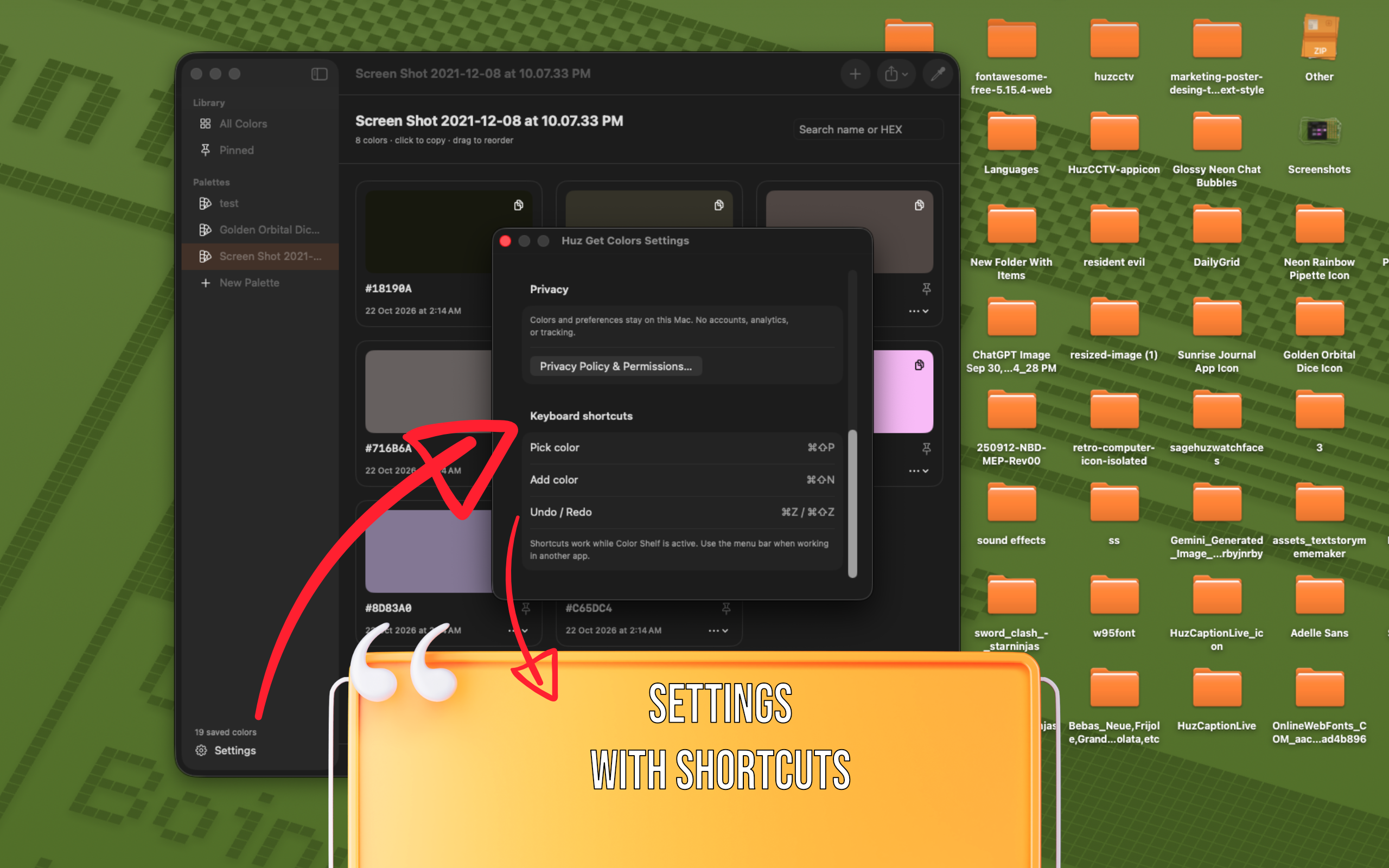
Huz Get Colors keeps your color library and preferences on your Mac. It does not use accounts, analytics, or tracking.

  • No account to create
  • No analytics or tracking
  • Colors and preferences stored locally
Questions? Get in touch